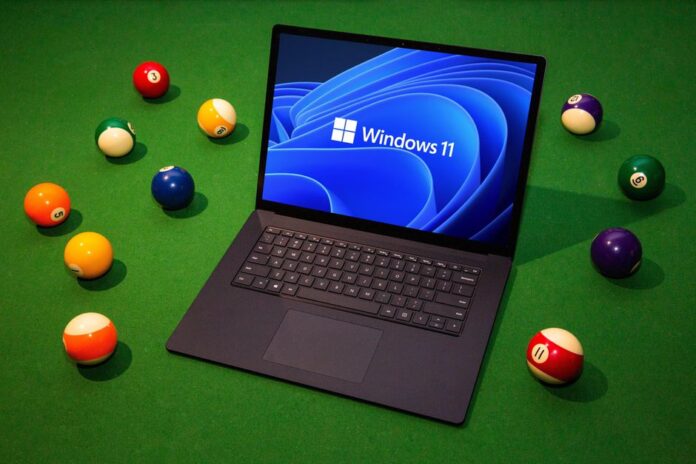
After a months-long early preview stage of the new system that was released in June, Windows 11, the latest version of Microsoft’s computer operating system, has now been launched worldwide as a free upgrade for Windows 10 users.
Windows 11 aims to improve workflow by introducing custom snap layouts and sorting open apps into groups. Additionally, Microsoft has promised that updates for Windows 11 will be up to 40% smaller.
Windows Chief Product Officer Panos Panay, told the BBC the latest version was built to be “clean and fresh and simpler” for the user.
He promised that the new operating system would not be an “extreme departure” from what people know.
He said expert users had already tested it extensively through Window’s Insider trial programme and was confident there would be no teething issues, adding the upgrade is “ready now”.
What’s new?
At the Windows 11 launch event, the Product Manager, Panos Panay and a crew of Microsoft employees took the stage to show off the new operating system.
Start button
One cosmetic change is putting the “Start” button at the bottom-centre of the screen rather than left-hand side.
By default, the Start menu is centred on screen, along with icons in the taskbar. When clicked on, the Start button opens a menu of frequently used apps.
In some ways, it mimics the appearance of a smartphone app menu or launcher. Microsoft has also dropped the “tiles” which were present on Windows 10’s start menu.
One of the most exciting changes for productivity users is a new window snapping tool.
This new tool takes Windows’ existing snapping feature where you could drop two apps side by side to the next level. The new version allows users to set up dedicated window spaces to create workspaces with multiple apps easily. You can do grids now and other combinations.
During the presentation, the company even showed off how Windows 11 remembers your workspaces, allowing you to minimize them and open them back up with ease. There’s even a new button on the taskbar to make this something people notice and, hopefully, take more advantage of.
You can even set up dedicated workspaces on different virtual desktops. This should make it a little easier to separate work and play on you PC. This is something that many users already take advantage of with third-party apps like Windows Power Toys, but it’s nice to see it being built in and featured so prominently in Windows 11.
Gaming.
The update will add various features for gamers including two key features utilised by the company’s Xbox consoles – Auto HDR and DirectStorage.
With Auto HDR, the new Windows will make it easier to turn high dynamic range on or off if the hardware supports it, better stabilise it if switched on, and automatically upgrade titles to HDR where possible.
DirectStorage loads game assets directly to the GPU instead of through the CPU to avoid bottlenecks that could slow it down, and also make use of the higher read and write speeds of NVMe storage of PCIe 4.0 and the upcoming PCIe 5.0 standard.
In addition, the Xbox app will also be built directly into Windows 11 and deeper integration of Xbox Game Pass. Subscribers will be able to download from the catalog of games they offer, to stream titles via Xbox cloud gaming, and cross-play between consoles and PCs.
Finally, one of the biggest parts of Windows 11 is the new store and support for Android apps on Windows.
Who can install it?
For gamers, Microsoft promises that its new drive technology – Direct Storage – will lead to much better loading times in games by allowing a graphics card to access storage drives without going through the central processor.
But that feature, like some others, needs newer hardware to work.
As a result, not every computer will see all the potential advantages to upgrading – and some machines may not be able to upgrade at all.
Windows 11 will be available as a free update to existing Windows 10 users – although some devices will not have the right specifications. These include a minimum of 64 gigabytes of storage and 4 gigabytes of RAM.
“If your device does not meet these requirements, you may not be able to install Windows 11 on your device and might want to consider purchasing a new PC,” Microsoft says.