

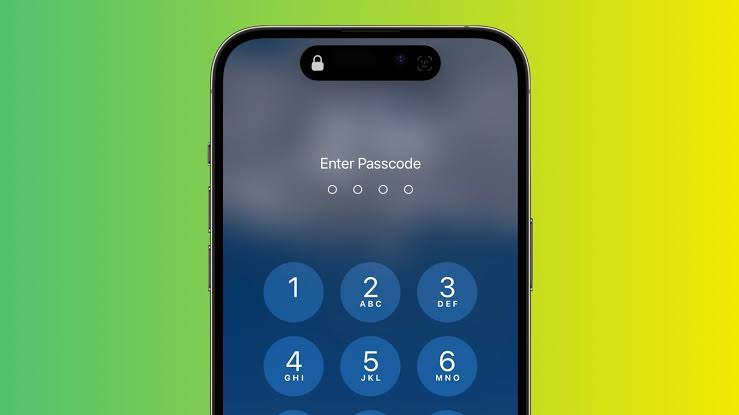
Apple on Monday released a new version of their operating system, the iOS 17.3, which boasts a lineup of features such as collaborative playlists in Apple Music. Probably the most outstanding utility feature however is the "stolen device protection" feature.
The "stolen device protection " feature comes disabled by default, but users are encouraged to enable it once they've upgraded to iOS 17.3.
It is a result of an investigation that was carried out by investigative journalists at the Wall Street Journal, a reputable media company in the United States which revealed that users' sensitive data and money were being stolen by thieves who had access to their phone's passcode.
This data was stolen from the iPhone and its iCloud.
The thieves, with access to the passcode are able to unlock and change the iPhone's critical settings.
It was found that with the passcode as a fall back method, thieves were able to change these settings even in phones in which the face ID (or touch ID) was activated.
As such, iPhone thieves take advantage of this and go to clubs where they are able to talk to strangers and corce them to share their passcodes. For instance, an iPhone thief told Joanna Stern that he would tell his victims that he wanted to add them on Snapchat. As it’s often easier to enter your contact details directly on someone else’s phone instead of saying it out loud, the thief would say that he can type his username directly.
When the person would hand over the phone, the thief would lock the phone and say that the iPhone is locked. He then just asked for the passcode and remembered it for later.
After stealing a phone, the passcode can be used to unlock the device and change the Apple ID password in the phone settings. This way, Find My iPhone can be disabled, meaning that the target can’t remotely wipe their device.
What the "stolen device protection" feature does.
Apple introduced this feature as a way to protect the users' data in the event their phones are stolen. How this works is that when turned on, some critical changes to the iPhone would require Face ID or Touch ID biometric authentication to effect, changes such as accessing stored passwords and credit cards.
In addition, changing your Apple ID password, changing your passcode and turning off stolen device protection also require a security delay. When you first try to perform this action, your iPhone tells you that you have to wait for at least an hour to make critical change.
As such, if someone steals your device, you have the opportunity to wipe your iPhone remotely using another device to make sure that your data remains secured.
There’s one exception, though. If you’re in a familiar location, such as your home or your work, there’s no need to wait an hour to perform a critical change.
It’s not perfect, but Apple is trying to strike the right balance between security and convenience. Yo
How to activate the "stolen phone protection" feature on your iPhone.
Go to Settings > Face ID & Passcode > Stolen Device Protection and turn the feature on.